

success 的订单。沙盒就是通常说的测试环境,全程不动真钱。
先看过 基本支付流程 会更顺,尤其是 Session 和 Order 的区别那一节。
和后台那份引导的关系
沙盒后台首页有一份三步上线引导。这一页按同样的顺序展开,并补充完成测试交易所需的接口调用和核对方法。
三步按顺序解锁,完成当前步骤后才能查看下一步。沙盒不包含开户认证,也不收集真实认证资料;开户认证是独立的生产环境流程,详见 上线检查。
开始之前
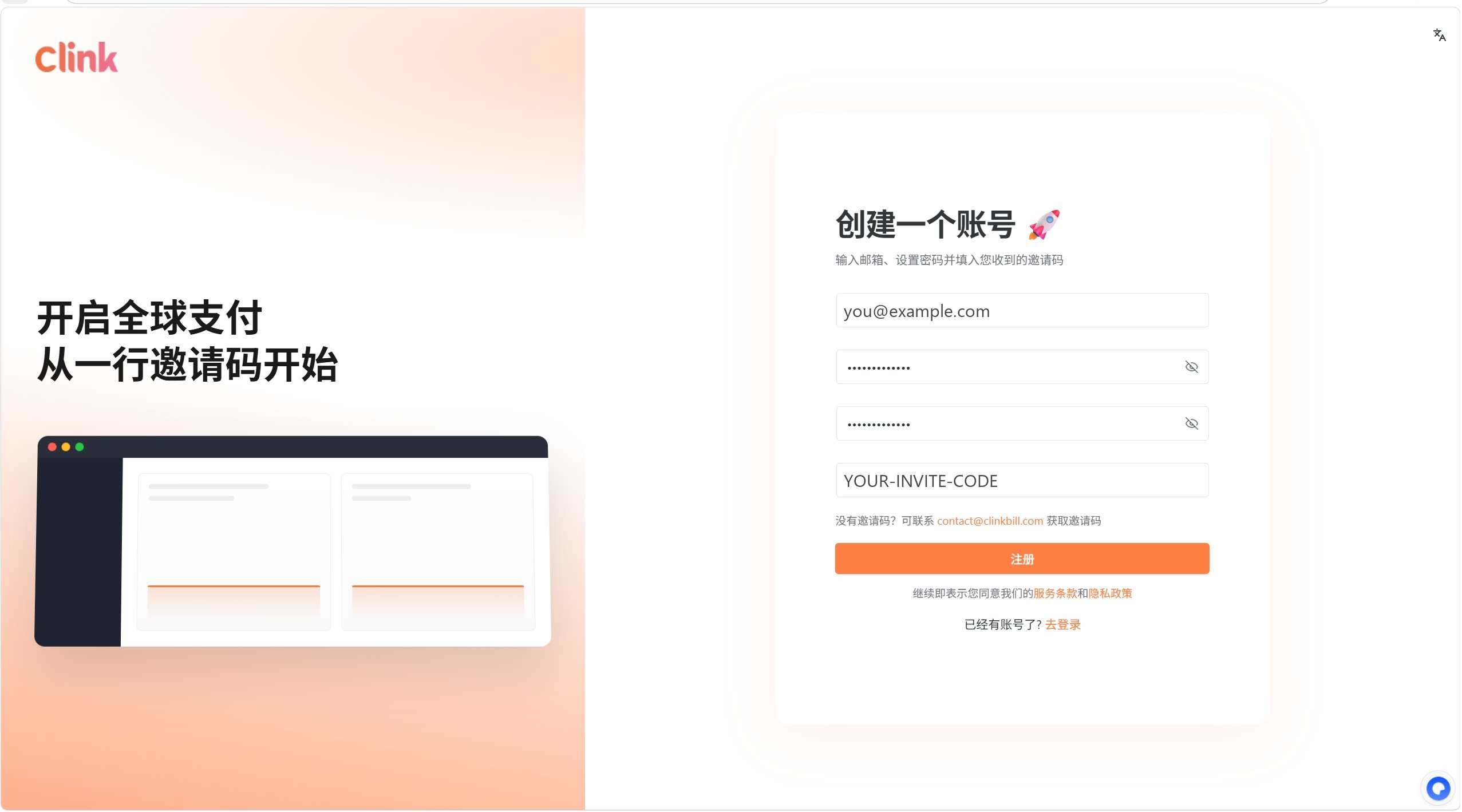
先注册一个沙盒账号。打开uat-dashboard.clinkbill.com/auth/register,填邮箱、设密码,再填邀请码。
第一步:确认测试交易的商品信息
先决定商品怎么定义。两种模式,后面所有代码都跟着这个选择走。临时一次性订单
创建 Session 时用
priceDataList 直接写商品名、单价、数量。适用于单次购买、充值或一次性交付服务,不需要预先创建商品。固定商品或订阅
先在后台 产品 页建好产品和价格,之后用
productId 和 priceId 引用。适用于长期售卖的商品、套餐或订阅。第二步:接入并完成测试交易
这一步分五小节。先配 Webhook 再付款,这样一笔付款就能把整条链路验完。2.1 拿到沙盒密钥
登录沙盒后台,进入 开发者 页面,点击 初始化密钥。 Secret Key 只会完整显示这一次,关掉弹窗就再也看不到了。先复制出来存好。生成密钥
生成密钥
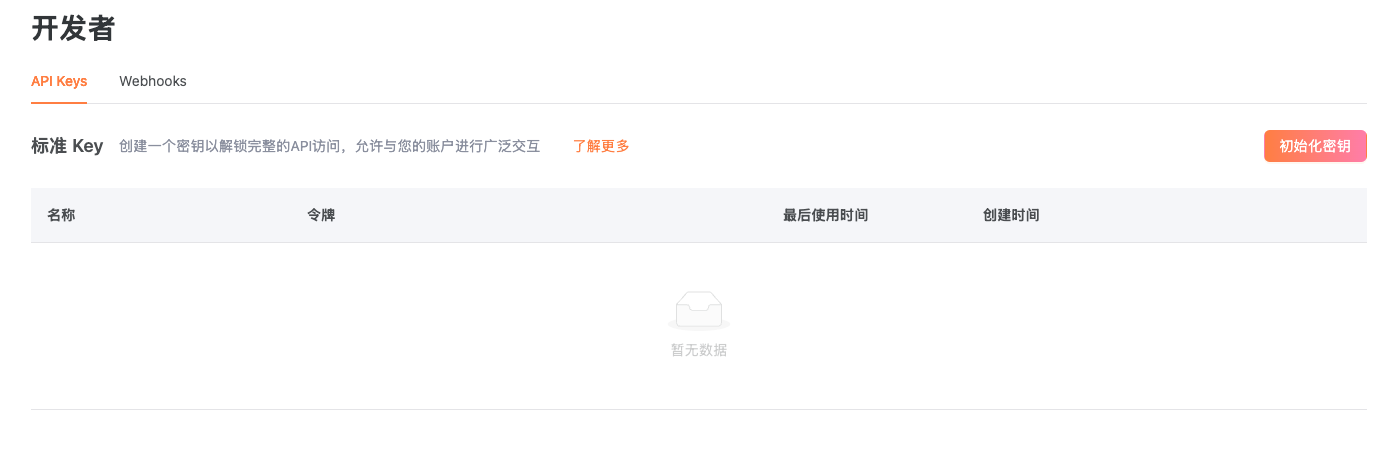
sk_uat_ 开头。拿到 sk_prod_ 就说明登错后台了。
2.2 配置 Webhook
付款结果由 Clink 主动推送。判断”钱到底收到没有”,只认两个来源:验过签的 Webhook,或者服务端调GET /order/{orderId} 查到 success。浏览器回跳和前端 SDK 事件都不算——那些客户自己就能伪造。
进入 开发者 > Webhooks,点击新增,填一个公网可访问的 HTTPS 地址,勾选要订阅的事件。付款场景至少订阅 order.succeeded 和 order.failed。
本地开发时没有公网地址,可以用 cloudflared 这类内网穿透工具临时映射一个。localhost、内网 IP 和回环地址会被拒绝。
2.3 创建 Checkout Session
下面这段直接可以跑,把sk_uat_... 换成自己的密钥。
X-Timestamp 是毫秒级时间戳,必须每次现算,不能写死或缓存。沙盒这一关比较松,但生产只接受与平台时间相差 2 分钟以内的请求——现在图省事写死,上生产会全部认证失败。
customerEmail标识客户。customerId、referenceCustomerId也可以,但至少要给一个,都不给会返回CUSTOMER_NOT_FOUNDpriceDataList描述买的是什么。不能为空,除非改用第一步说的固定商品模式,传productId和priceIdoriginalAmount和originalCurrency是金额和币种,必填- 金额传主货币单位,不是分。19.99 美元就写
19.99,写成1999会被当作 1999 美元 merchantReferenceId填商户订单号,方便之后对账。它不是幂等键,用同一个值调两次会得到两个不同的 SessionsuccessUrl和cancelUrl只影响客户付完款跳回哪里,不影响收款结果
日元(JPY)、韩元(KRW)、印尼盾(IDR)这类没有小数位的币种只能传整数。1999 日元就写
1999。data 里:
sessionId 存进商户订单,url 是收银台地址,下一节就要用。
expireTime 当前返回的是 "2026-07-30 12:00:00" 这种格式,不带时区标识,也不是 RFC 3339。别直接丢给 new Date() 或按本地时间解析——不同运行环境的解释会不一致。也不要按”商户账户时区”或浏览器时区去推断。 后端目前用服务进程的默认时区序列化,没有按账户做转换,所以这个字符串代表哪个时区,接口本身没有表达。要精确处理跨时区逻辑,得等后端把输出契约升级成带 offset 的 RFC 3339 或 Unix 时间戳。在那之前,判断 Session 是否还能付款请看 status,不要拿这个字符串自己算。沙盒后台还有一个**「生成测试 checkoutUrl」按钮。那个是用来体验收银台长什么样**的——它由后台前端直接调 Checkout API 创建 Session,不经过商户服务端。要验证接入是否正确,得像上面这样自己调 API。
2.4 用测试卡付款
把url 复制到浏览器打开,就是 Clink 的收银台。
付完之后浏览器会跳到填好的
successUrl。
2.5 三处核对
一笔付款要在三个地方都对上,接入才算通:1
Order 状态是 success
用 2.3 拿到的 再用
sessionId 查会话,status 应该是 completed,并且有 orderId:orderId 查订单,status 是 success 才算付款成功:2
后台交易页能查到
在沙盒后台的 交易 页面能找到这笔交易。沙盒和生产的交易列表是分开的,别去生产后台找。
3
服务收到了 Webhook
如果 2.2 配好了 Webhook,服务端应该收到一个
order.succeeded 事件。收不到就照 上线检查 的排错部分查。跳过了 2.2 的话,现在回去配好,然后重跑 2.3 和 2.4 验证一次。这一页验证的是一次性付款。周期收费和折扣是两项独立能力,接法不同,见下面的卡片。
第三步:准备上线
完成测试交易后,在第三步点击**「进入生产环境」(英文界面为Go live)。该操作就是第三步,并会进入生产环境。操作成功后,引导进度显示 3 / 3,并出现「完成」**(英文界面为 Complete)按钮。点击「完成」只会结束并隐藏 onboarding 引导,不是进入生产环境的操作。
开户认证只在生产环境进行;沙盒不收集认证资料,也不会迁移认证资料。
沙盒跑通了,去生产
第三步的**「进入生产环境」操作用于首次进入生产。之后切换环境时,仍可使用沙盒后台右上角的「进入生产环境」**入口,不需要重新注册。 进入生产后,需要重新初始化sk_prod_ 和 pk_prod_ 密钥,重新注册 Webhook 端点并使用新的签名密钥,再提交真实开户认证资料。
沙盒中的支付域资源和环境配置不会复制到生产环境,包括产品、客户、订单、API 密钥、Webhook 端点、签名密钥以及认证申请和资料。首次进入生产环境时,系统会同步生产访问所需的租户、商户、用户登录凭据和角色授权信息。
在原沙盒标签页点击「完成」后,沙盒 onboarding 引导会隐藏。请按现有生产引导完成资料审核和上线准备。
完整的切换清单和排错见 上线检查。
跑通之后
选择接入方式
收银台跳走,还是嵌在自己的页面里。
Hosted Checkout 接入
后端、前端、Webhook 三块分别要写什么。
订阅支付
需要周期性收费时看这里。
优惠与促销码
需要打折或发优惠码时看这里。
密钥与 Webhook 配置
密钥轮换、IP 限制、验签算法。
上线检查
切生产前要过的清单,含开户认证。