> ## Documentation Index
> Fetch the complete documentation index at: https://docs.clinkbill.com/llms.txt
> Use this file to discover all available pages before exploring further.
# 快速启动
> 创建你的第一个收银台Session。
## 登录商户后台
完成基本资料提交后,您会收到一封邮件以激活您的生产账号。
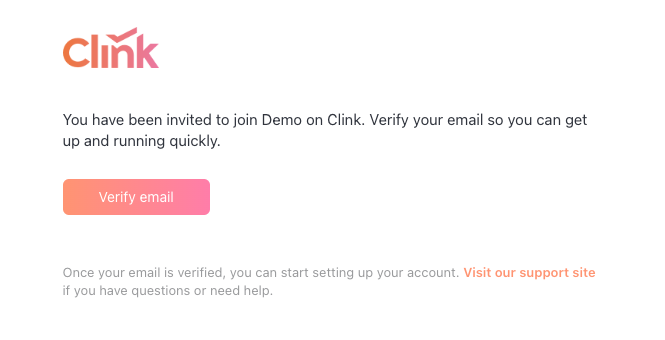 请根据页面提示完成密码的设置,然后登录您的账户。
首次登录时,会强制绑定一次性验证码。我们推荐使用 **Microsoft Authenticator** 或者 **Google Authenticator** app。
## 初始化API密钥
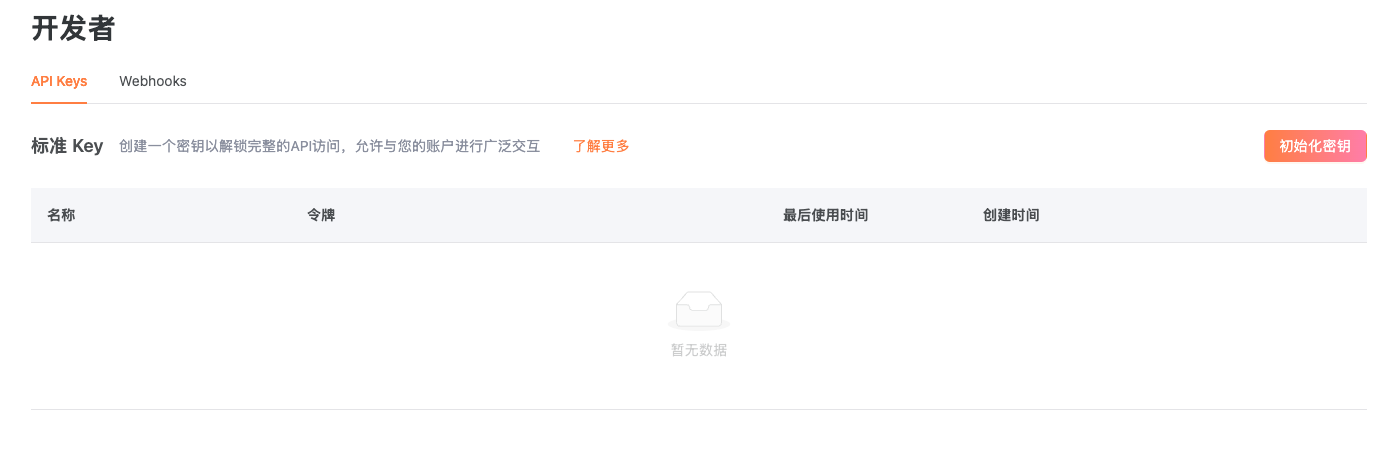
点击**Developers**标签页. 点击**初始化密钥**按钮, Secret Key只会展示一次,请妥善保存.
请根据页面提示完成密码的设置,然后登录您的账户。
首次登录时,会强制绑定一次性验证码。我们推荐使用 **Microsoft Authenticator** 或者 **Google Authenticator** app。
## 初始化API密钥
点击**Developers**标签页. 点击**初始化密钥**按钮, Secret Key只会展示一次,请妥善保存.
 ## 创建第一个产品(可选)
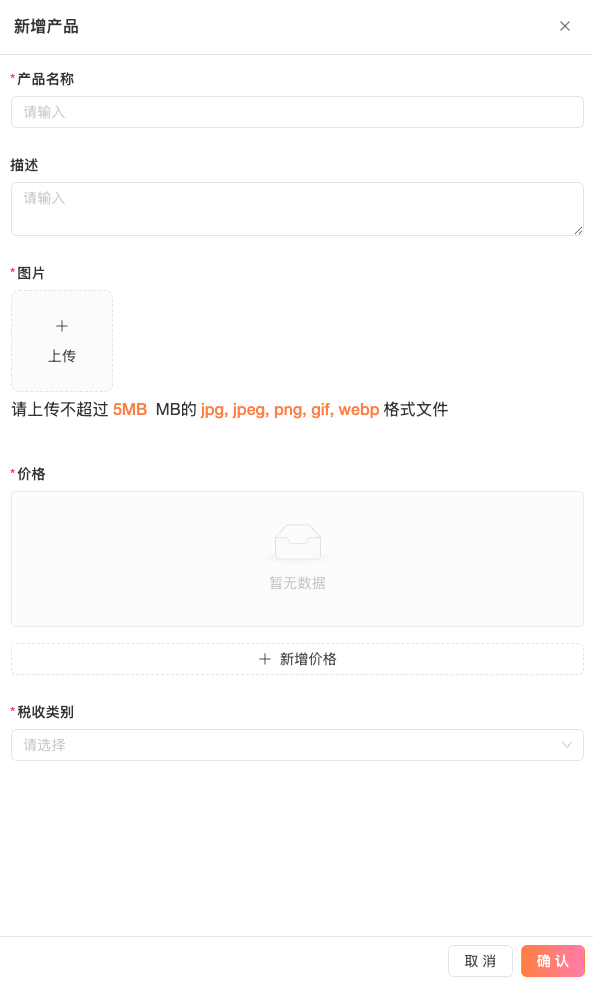
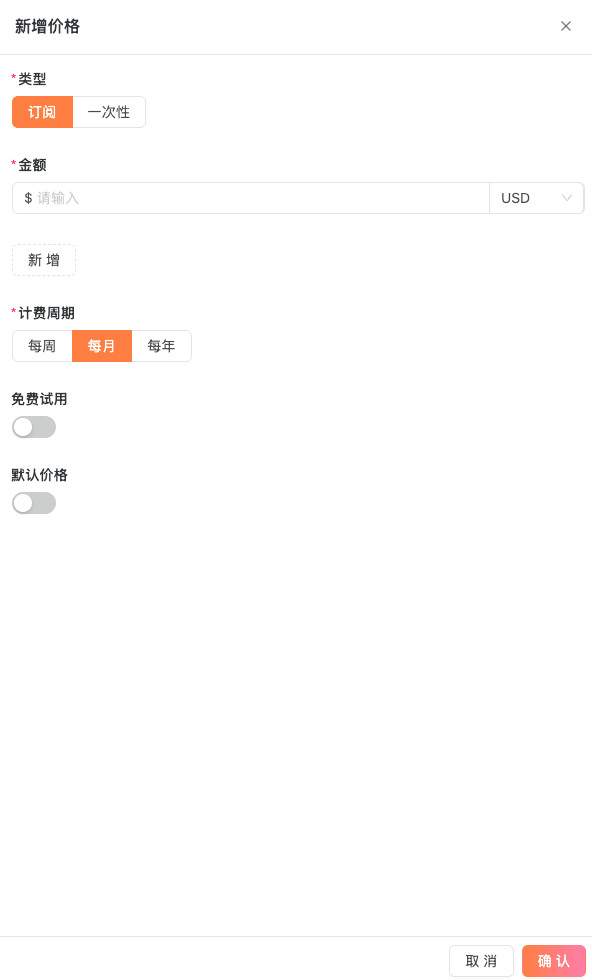
点击 **Products** 标签页. 需要输入产品名称,图标,价格,这些信息会被展示给付款人。
## 创建第一个产品(可选)
点击 **Products** 标签页. 需要输入产品名称,图标,价格,这些信息会被展示给付款人。
 ## 创建 Checkout Session
参考API文档以创建第一个付款Session。
请确保在测试环境验证后再尝试生产!
```json without a Product theme={null}
curl --location --request POST 'https://uat-api.clinkbill.com/api/checkout/session' \
--header 'X-Timestamp: ${currentMillisecondsTimestamp}' \
--header 'X-API-Key: ${sk_key}' \
--header 'Content-Type: application/json' \
--data-raw '{
"customerEmail": "customer@example.com",
"originalAmount": ${amount},
"originalCurrency": "USD",
"uiMode": "hostedPage",
"priceDataList":[
{
"name":"A One-time purchase",
"quantity": 1,
"unitAmount":${unitAmount},
"currency":"USD"
}
]
}'
```
```json with a Product created theme={null}
curl --location --request POST 'https://uat-api.clinkbill.com/api/checkout/session' \
--header 'X-Timestamp: ${currentMillisecondsTimestamp}' \
--header 'X-API-Key: ${sk_key}' \
--header 'Content-Type: application/json' \
--data-raw '{
"customerEmail": "customer@example.com",
"originalAmount": ${amount},
"originalCurrency": "USD",
"uiMode": "hostedPage",
"priceId": "${price_id}",
"productId": "${prd_id}"
}'
```
如果你要为嵌入式收银台创建 session,请将 `uiMode` 设置为 `elements`,并传入 `returnUrl`。常见写法是 `https://YOUR_DOMAIN/complete.html?session_id={ELEMENTS_SESSION_ID}`,其中 `{ELEMENTS_SESSION_ID}` 会被 Clink 替换成创建出的 session ID。
## 创建 Checkout Session
参考API文档以创建第一个付款Session。
请确保在测试环境验证后再尝试生产!
```json without a Product theme={null}
curl --location --request POST 'https://uat-api.clinkbill.com/api/checkout/session' \
--header 'X-Timestamp: ${currentMillisecondsTimestamp}' \
--header 'X-API-Key: ${sk_key}' \
--header 'Content-Type: application/json' \
--data-raw '{
"customerEmail": "customer@example.com",
"originalAmount": ${amount},
"originalCurrency": "USD",
"uiMode": "hostedPage",
"priceDataList":[
{
"name":"A One-time purchase",
"quantity": 1,
"unitAmount":${unitAmount},
"currency":"USD"
}
]
}'
```
```json with a Product created theme={null}
curl --location --request POST 'https://uat-api.clinkbill.com/api/checkout/session' \
--header 'X-Timestamp: ${currentMillisecondsTimestamp}' \
--header 'X-API-Key: ${sk_key}' \
--header 'Content-Type: application/json' \
--data-raw '{
"customerEmail": "customer@example.com",
"originalAmount": ${amount},
"originalCurrency": "USD",
"uiMode": "hostedPage",
"priceId": "${price_id}",
"productId": "${prd_id}"
}'
```
如果你要为嵌入式收银台创建 session,请将 `uiMode` 设置为 `elements`,并传入 `returnUrl`。常见写法是 `https://YOUR_DOMAIN/complete.html?session_id={ELEMENTS_SESSION_ID}`,其中 `{ELEMENTS_SESSION_ID}` 会被 Clink 替换成创建出的 session ID。